Make a tier list with images in three clear steps.
The fastest workflow starts with recognizable items, keeps the ranking controls close, and gives you a result that is easy to save or debate.
01
Choose a complete image set or add your own.
Open a checked template when you want every item ready. Use the blank maker when your topic is personal, niche, or not published yet.
Bulbasaur
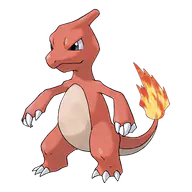
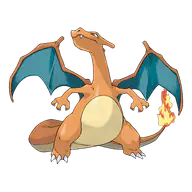
Charmander
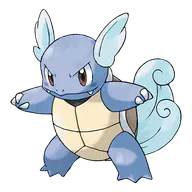
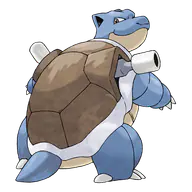
Squirtle
Chikorita
Cyndaquil
Totodile
Treecko
Torchic
Mudkip
Turtwig
Chimchar
Piplup
02
Rank by drag on desktop or tap on mobile.
Start with one criterion, place uncertain choices later, then review the gaps between neighboring tiers before you finish.
S
A
B
A selected image opens tier controls near your thumb on small screens.
03
Share the format that can preserve your work.
Built-in items have stable IDs, so a compact link can restore the board. Uploaded files are larger and stay out of the URL.
Built-in imagesShare or challenge link
Uploaded imagesPNG or .tierlist.json
Before the first move
What this free tier list maker does with your images and draft.
Your ranking should not begin with an account form or an empty board you have to rebuild. Complete templates open with real image tiles, while the blank maker accepts text and personal images directly in the browser.
Drafts stay in this browser.
After your first move, the board is saved to local browser storage. There is no public profile behind it. Clearing site data removes the draft, so export a file when the list matters beyond this device.
Share links restore built-in items.
A versioned link can carry tier labels and the positions of built-in item IDs. A friend challenge uses the same idea, but keeps both rankings separate until the comparison is ready.
Uploaded images share as PNG or file.
Custom images can be hundreds of kilobytes or several megabytes. Putting them inside a URL would create fragile links, so personal uploads travel through a rendered PNG or an exported .tierlist.json file.
Make
Images do the explaining.
Fixed tiles keep the board readable. Names stay available in search, focus states, and accessible labels.
Challenge
The disagreement is the result.
A built-in board becomes a stateless challenge link. Both people rank independently before the largest split is revealed.
Own your file
Custom images stay under your control.
Uploaded images remain in this browser and travel through PNG or an exported tier list file, never inside a giant URL.


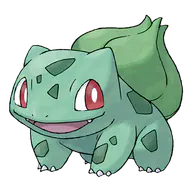



















































 Bulbasaur
  Charmander
  Squirtle
  Chikorita
  Cyndaquil
  Totodile
  Treecko
  Torchic
  Mudkip
  Turtwig
  Chimchar
  Piplup